macOS personal configuration
Recently, I accidentally deleted my macOS user files, which caused the Photos app to fail to open and become unrepairable. I had to reinstall macOS and back up my frequently used apps and configuration settings.
v2rayN
xattr -cr /Applications/v2rayN.app
#https://raw.githubusercontent.com/free18/v2ray/refs/heads/main/v.txt
#https://raw.githubusercontent.com/free18/v2ray/refs/heads/main/c.yaml
Rosetta 2
/usr/sbin/softwareupdate --install-rosetta --agree-to-license
Homebrew
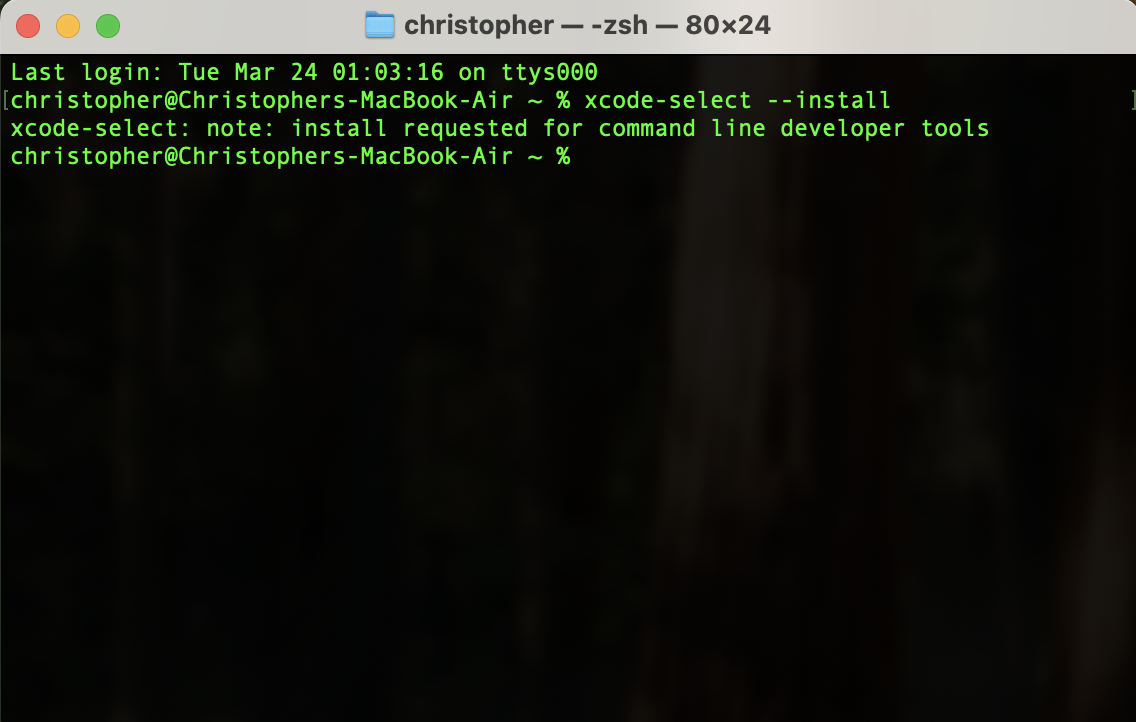
Install Xcode CLT
xcode-select --install
xcode-select --help
Install Homebrew
echo 'eval "$(/opt/homebrew/bin/brew shellenv)"' >> ~/.zshrc
echo 'eval "$(/opt/homebrew/bin/brew shellenv)"' >> ~/.zprofile
echo 'export HOMEBREW_API_DOMAIN="https://mirrors.tuna.tsinghua.edu.cn/homebrew-bottles/api"' >> ~/.zprofile
echo 'export HOMEBREW_BOTTLE_DOMAIN="https://mirrors.tuna.tsinghua.edu.cn/homebrew-bottles"' >> ~/.zprofile
echo 'export HOMEBREW_BREW_GIT_REMOTE="https://mirrors.tuna.tsinghua.edu.cn/git/homebrew/brew.git"' >> ~/.zprofile
source ~/.zprofile
export HOMEBREW_API_DOMAIN="https://mirrors.tuna.tsinghua.edu.cn/homebrew-bottles/api"
export HOMEBREW_BOTTLE_DOMAIN="https://mirrors.tuna.tsinghua.edu.cn/homebrew-bottles"
export HOMEBREW_BREW_GIT_REMOTE="https://mirrors.tuna.tsinghua.edu.cn/git/homebrew/brew.git"
brew help
brew --version
brew update
brew doctor
brew install jq
brew install shfmt
brew install shellcheck
git
git version
git config --global user.name "liubao"
git config --global user.email "paulluis.dev@gmail.com"
ssh-keygen -t rsa -b 4096 -C "paulluis.dev@gmail.com"
touch ~/.ssh/config
#Host alias
#  HostName localhost
#  User root
#  Port 22
#  IdentityFile ~/.ssh/id_rsa
JDK 8
java -version
#java version "1.8.0_441"
#Java(TM) SE Runtime Environment (build 1.8.0_441-b07)
#Java HotSpot(TM) 64-Bit Server VM (build 25.441-b07, mixed mode)
Maven
#!/usr/bin/env bash

bash --version 2>&1 | head -n 1

set -eo pipefail
SCRIPT_DIR=$(cd "$(dirname "$0")" && pwd)
echo "$SCRIPT_DIR"

MVN_GZ_URL="https://archive.apache.org/dist/maven/maven-3/3.6.3/binaries/apache-maven-3.6.3-bin.tar.gz"

if ! [[ -f "$SCRIPT_DIR//apache-maven-3.6.3-bin.tar.gz" ]]; then
    echo "Downloading from $MVN_GZ_URL"
    curl -Lsfo "$SCRIPT_DIR/apache-maven-3.6.3-bin.tar.gz" $MVN_GZ_URL
fi
if ! [[ -f "$SCRIPT_DIR//apache-maven-3.6.3-bin.tar.gz" ]]; then
    echo "Please download manually."
    exit -1
fi

if ! [[ -d "/opt/apache-maven-3.6.3" ]]; then
    echo "Extracting..."
    sudo tar xzvf apache-maven-3.6.3-bin.tar.gz -C /opt
fi

echo "$PATH"
echo 'export PATH="$PATH:/opt/apache-maven-3.6.3/bin"' >> ~/.zshenv
source ~/.zshenv
mvn -v
Define a specified repository
sudo vim /opt/apache-maven-3.6.3/conf/settings.xml
#test
mvn help:system
#determine effective settings
mvn help:effective-settings
<mirror>
    <id>aliyunmaven</id>
    <mirrorOf>*</mirrorOf>
    <name>阿里云公共仓库</name>
    <url>https://maven.aliyun.com/repository/public</url>
</mirror>
Postman
Download Postman
JetBrains Toolbox
The last version to support both Community and Unified updates is Version 3.2
Windows App
Download Windows App from the Mac App Store.
You can also download Windows App outside of the Mac App Store as a .pkg file from https://go.microsoft.com/fwlink/?linkid=868963.
Microsoft Office
Select the Office Home 2024 for Mac version from the website → Applications → Office 2024 for Mac → Multi-Language → Microsoft_365_and_Office_16.94.25020927_HomeStudent_Installer.pkg.
Spotify
Download the arm64 version from the official Spotify CDN.
Application Requirements
For Chinese users
Old versions:
Tencent Meeting
Old versions:
Sunlogin Remote Control
Old versions:
Chinese Apps
| name | url | Architecture | pros & cons |
|---|---|---|---|
| https://weixin.qq.com/ | aarch64 | ||
| TencentMeeting | https://meeting.tencent.com/ | aarch64 | mandatory account |
| Sunlogin Remote Control | https://sunlogin.oray.com/ | aarch64 | signup required |
[!NOTE] you can download older versions from Homebrew Cask.
Browser Plugin
[!TIP]
SwitchyOmega → auto switch: GFWListSmartProxy → Subscribe to a rules list: GFWList
Reference
- v2rayN
- Clash Verge
- free18/v2ray
- Installation — Homebrew Documentation
- Java SE 8 (8u211 and later)
- Difference Between M2_HOME, MAVEN_HOME and using the PATH variable
- How to Install Maven on Windows, Linux, and Mac
- Homebrew 镜像使用帮助
- What’s new in Windows App
- Sample shell scripts for Intune admins.
- SSH config file format